

Canva vs Visme – Which one is best for you (Pros and Cons)

Do you want to know about canva vs visme which one is best for you? If yes then this comparison article is especially for you because in this article I will show you an in-depth comparison between canva and visme.
In short canva and visme is an online graphic designing software that you can use to make beautiful images within a minute without downloading any application.
Canva and Visme are their own advantages but something you must know before choosing any tool 🙂
So now let’s dive into the comparison.
Features – Canva vs Visme
Features of Canva:
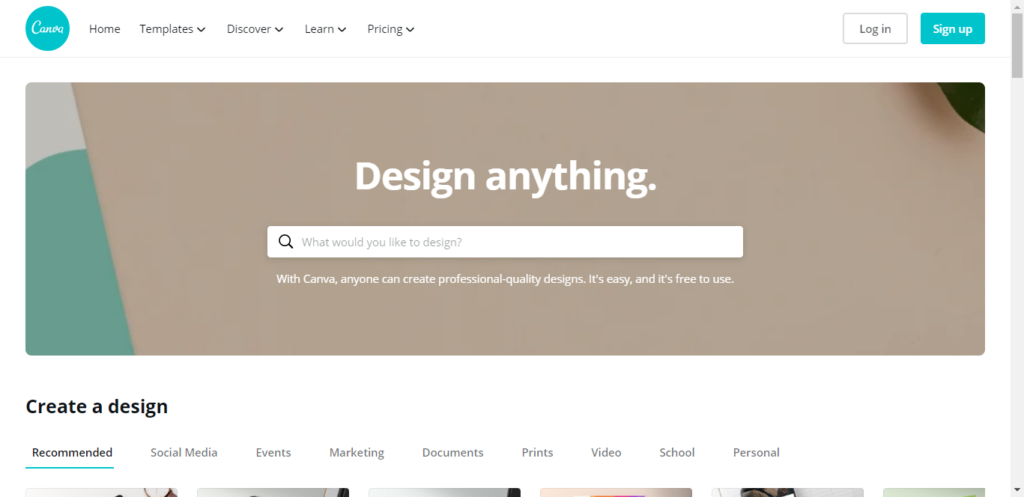
Canva is a complete graphic designing tool, you can use canva to create visual content and design any types of graphics (i.e – logo, presentation, youtube video thumbnail, Facebook banner, and many more)
In canva there are many pre-made templates are available that you can use to quickly design your own banner, logo, and more…
Canva interface is completely beginner-friendly. It means anyone can use canva without any problem. I personally like the canva editor interface because from there it’s very easy to design images quickly.
Top Features:
- Photo straightener – Use a photo straightener to the inline photo.
- Image cropper – Crop your image for great framing.
- Add text to photo – Easily add text to photo.
- Speech bubble maker – Give your photos a voice with speech.
- Enhancer – Enhance your photo to save any off-shots.
- Image blur – Easily blur your photo to give an amazing look.
- Photo vignette – Add vignette fair in your picture.
- Photo frames – Use a photo frame to design images.
- Stickers – Add surprise stickers to your image.
Features of Visme
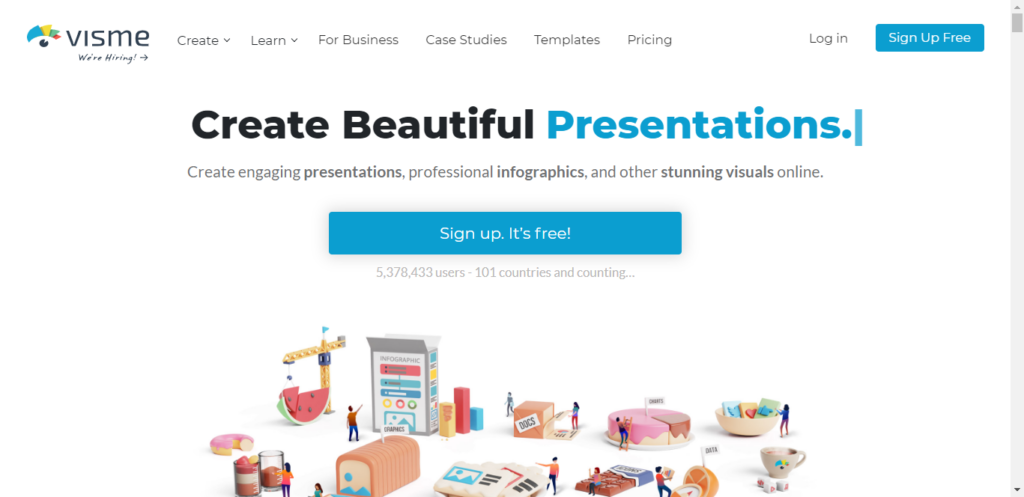
Visme is also a graphic designing tool but in Visme you can also create engaging presentations, infographics, documents, videos, graphics, and everything in between.
Building a presentation in visme is easy and the best way to make a fully functional presentation. Not only this you can export a presentation for the offline showcase.
Visme UI is attractive, but this is not completely beginner-friendly, so you need to learn more about visme to become a pro designer.
Top Features:
- Graphic design
- Collaboration
- Data Visualization
- Image Database
- Image Editor
- Pre-made templates
- Presentation
- Audio Content
- Customizable Templates
- Video Content
- Animations & Transitions
- Collaboration Tools
- Offline Presenting
- Flowchart
- Diagramming
- Drag & Drop
- Organizational Charting
- Process Mapping
- Revision Management
- Text to Chart
Pricing – Canva vs Visme
Canva Pricing
The price of canva premium subscription is 12.95$ per month or 9.95$ per month but build yearly.
Features of Canva premium:
- Everything Free has, plus:
- Create your brand’s visual identity with logos, colors, and fonts in 1 Brand Kit
- One-click design resize
- 60,000+ free templates
- 60+ million premium stock images, photos, videos, and graphics
- Upload your own fonts and logos
- Custom templates
Do you want to know how to upload the font to canva? If yes then check this article.
Visme Pricing
The price of visme premium subscription is 25$ per month billed monthly or 14$ per month billed yearly.
Features of visme premium:
- Everything in the free plan
- Unlimited Projects
- 10 GB Storage
- Download as HTML5
- Slide Library
- Privacy Controls
- Collect and Store Leads
- Organize with Folders
- Brand Kit
- Record Audio
Also read – Canva vs adobe spark
Comparison – Canva vs Visme
| Product | Canva | Visme |
| Release date | 2012 | 2013 |
| Users | 15 million | 1.3 million |
| User friendly | Yes | Yes |
| Popular tools | Resume builder | Infographic maker |
| Website | Yes | Yes |
| Application | Yes | No |
| Contact support | Email, phone | Chat, email |
Conclusion:
My opinion about canva vs visme:
If you want to go with features then Visme is best because visme provides tons of features but a little high price. But in canva features are less as compared to Visme.
If you want to go with a free plan then Visme is best because it offers more features as compare to visme.
If you want to go with price then Canva is best because it offers less price as compared to their features.
Therefore, If you want to go with pricing and a free plan then Visme is best but if you want to go with features then Canva is best.
So the clear winner of this visme and canva comparison is Visme.
Now choice is totally yours 🙂
Written by Rahul Kumar Singh
Tech enthusiast who finds joy in coding and playing games
Comments 11

I am using Canva for the past few years and I feel it is more than sufficient for me. Thanks for sharing this post.

Thanks alot dear!
I am looking for this and i like it.

Thanks for sharing this content, I really like this article……keep posting

hello
oh wow, nice blog. this blog information really good and informative especially for me.
thank you for sharing this blog.

I find Canva as the best and comprehensive solution for all of my Digital Marketing needs.

Canva is always the best option, The best thing is you can now use canva for your videos and for your presentations, Thank you very much for telling me about visme, But it’s a little expensive.

After reading this article I can defiantly say that canva is always a good option.

Nice comparison between graphics design tools. I must say that canva is easy to use and I operate every graphic design work on canva.

I dont know about Visme, but for light editing I use Canva.
Its easy even my kids can use it

I use Canva design for my personal blog. It very simple to use a newbie.

Canva is a good softwere to make good picture i am almost 2 years old user.
Related Stories

The Small Tech Tweaks That Make a Big Difference
It’s easy to think that fixing a sluggish phone or laptop means dropping a ton of cash on a brand-new device. Sure, buying new hardware works, but you’d be surprised by how much life you can squeeze out of your current gadgets just by tweaking a few settings. Spending just a few minutes digging into […]
How to Get More Out of the Devices You Already Own
A strong urge to replace smartphones and laptops often strikes the moment a newer model arrives at the local electronics store. Vast amounts of money flow into advertising campaigns designed to convince buyers that their current gadgets are hopelessly obsolete. However, the devices sitting on desks right now still possess an enormous amount of computing […]

Why An Affordable eSIM Makes Sense For Smart Travelers
Careful plans for foreign tours bring excitement, long checklists, and important travel decisions. Travel eSIMs offer real convenience through digital setup and fast mobile data access abroad. Strong connectivity and steady data access keep maps, messages, and bookings within reach overseas. An affordable travel eSIM delivers practical data solutions without extreme roaming charges abroad. This […]
How to Make Your Devices Work Better for Your Routine
We all rely heavily on our computers and smartphones just to get through a normal day. But, it often feels like we are the ones adjusting our daily habits to suit our technology, rather than the other way around. If you want to make your devices work better for your routine, you have to take […]

How to Design Social Media Posts Quickly: A Practical Guide for Fast, High-Quality Content
Designing social media posts quickly is a common challenge for creators, marketers, and small teams. Deadlines are tight, trends move fast, and visual quality still matters. The best way to speed up your workflow is to combine simple design systems, smart tools, and repeatable processes. When done right, you can create scroll-stopping posts in minutes […]

I Didn’t Throw Away That Old Xbox Gift Card And You Shouldn’t Either
A couple of months ago, I was helping my roommate clean out his laptop before selling it. We were deleting old accounts, clearing browser history, and wiping saved passwords. That’s when he pulled up an email from 2022 with the subject line: “Your Xbox Gift Card Is Ready.” He laughed. “Oh yeah, my aunt gave […]